Service Application Settings
The Pro version is released as a service application. Some computers and the most of servers can work without a logon for prolonged periods of time. The Pro version is made for such servers. The connection monitoring service can monitor and log access to shared files and folders without logging on. If the monitoring service stops for some reason, the GUI program will continue the monitoring process (if it is running).
In this section of the program settings, you can manage 10-Strike Connection Monitor Service: run and stop it, view current state of the service.
After modifying certain application and monitoring settings, the service is to be restarted in order for the changes to take effect. For that, click on the Stop button, wait until the service is stopped, and then click on the Run button.
The service is installed automatically when the application is installed on the computer. If you have a need to remove the service without uninstalling the application, click on the Remove Service button.
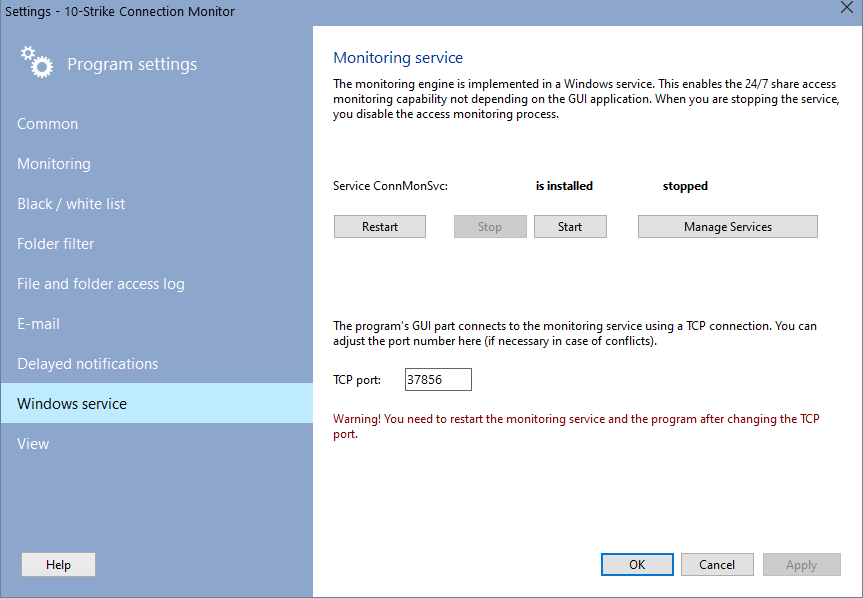
The service interacts with the GUI part via the TCP protocol. The default port number is 37856. You can change it if it is used by some other service on your system. After changing the port number, please restart the program and the service both.
Please note that in Vista and newer editions of Windows, applications are launched with current user's privileges. However, managing services requires the administrator privileges. Therefore, the application is to be run on behalf of Administrator. Or use Windows' standard service management mechanisms.

Inventory Hardware and Software on Network Computers

Monitor Network Servers, Services, Managed Switches, etc.

Monitor and Manage Network Hosts on a Visual Map, Create Network Maps

Monitor Network Bandwidth and the Internet Traffic Usage

Create Network Diagrams, Discover Network Topology

Search Files on Network Shares and FTP Servers

Audit Remote User Access to Shares (Folders and Files)

Free Program for Scanning Networks, Hosts, and TCP Ports
 Networking Software Bundles