Message archive
 If you wish, you can maintain the archive of incoming
and outgoing messages; just tick the corresponding options in the menu settings (Fig. 1).
If you wish, you can maintain the archive of incoming
and outgoing messages; just tick the corresponding options in the menu settings (Fig. 1).
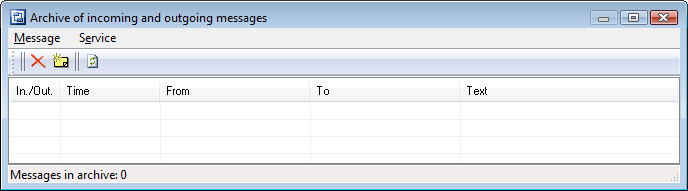
Fig. 1: The Incoming and Outgoing Message Archive window.
- Save outgoing messages - are recorded every time you send messages using the window Sending messages.
- Save incoming messages - are recorded only when you press the combination WIN+P (can be changed) when the standard message window (See Sending messages) appears on your screen.
You can resend messages from the archive by clicking
the menu Message | Resend or double-clicking on the message on the list.
All messages are recorded to the file
Messages.log in the user's documents folder\10-Strike\LANState (Pro/Personal)\Logs.
Subscribe


All products
Network Inventory Explorer
Inventory Hardware and Software on Network Computers
Inventory Hardware and Software on Network Computers
Network Monitor
Monitor Network Servers, Services, Managed Switches, etc.
Monitor Network Servers, Services, Managed Switches, etc.
LANState
Monitor and Manage Network Hosts on a Visual Map, Create Network Maps
Monitor and Manage Network Hosts on a Visual Map, Create Network Maps
Bandwidth Monitor
Monitor Network Bandwidth and the Internet Traffic Usage
Monitor Network Bandwidth and the Internet Traffic Usage
Network Diagram
Create Network Diagrams, Discover Network Topology
Create Network Diagrams, Discover Network Topology
Network File Search
Search Files on Network Shares and FTP Servers
Search Files on Network Shares and FTP Servers
Connection Monitor
Audit Remote User Access to Shares (Folders and Files)
Audit Remote User Access to Shares (Folders and Files)
Network Scanner (NEW!)
Free Program for Scanning Networks, Hosts, and TCP Ports
Free Program for Scanning Networks, Hosts, and TCP Ports
 Networking Software Bundles