LANState supports the SNMP monitoring. You can configure the SNMP parameter monitoring checks.
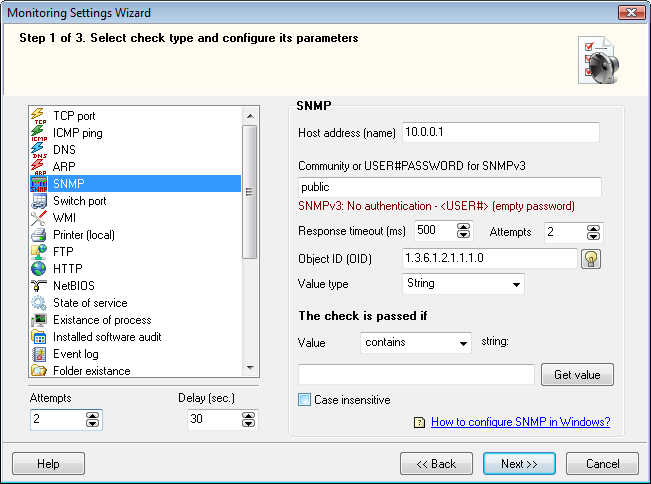
During the SNMP check, the program monitors changes of parameters on active network equipment (routers, access points, printers, etc.) via the SNMP protocol. Specify the SNMP agent address, community string, OID, value type, and the necessary value or substring to be checked if the value is a string. If the detected values are equal to the specified values or contain the specified substring, the check is considered as passed. For example, you can monitor the router capacity and raise alerts on the traffic overload. Those may include: displaying a predefined message, playing a sound file, running external programs and commands with parameters, addings a record to a log, sending an e-mail message or SMS using a connected phone or a 3G modem.
LANState also supports the switch port monitoring.
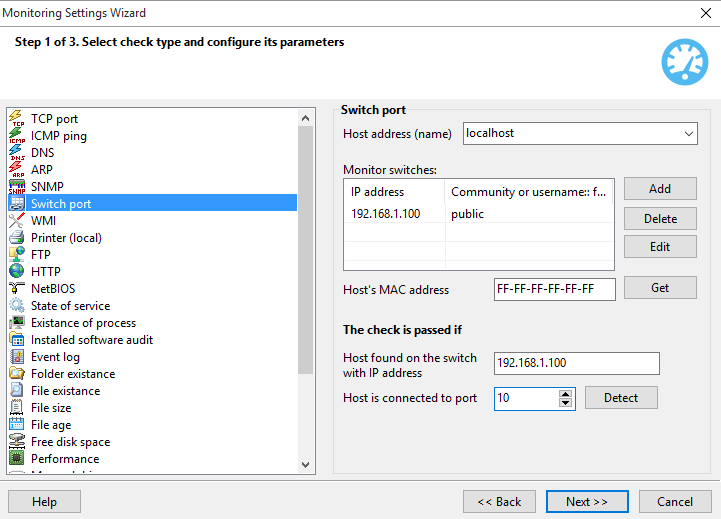
All devices connected to a managed switch are registered in it in the special MAC address table and in the port table. These tables define the correspondence between physical addresses (MAC) of the hosts and ports of the switch. The switch port monitoring check allows you to promptly respond to changes in this data related to the selected host. To ensure the successful scanning, define the list of IP addresses of all switches on the network, their Community strings (the SNMP password), the original number of port, and IP address of the switch where the host should be registered. The scanning routine periodically retrieves the host registration data from the switch and compares it to the original switch IP and the port number. If the host, for example, is found on a different switch with another IP address or on another port, the program will notify you about that.
Learn more on the SNMP functions supported by the program


 Networking Software Bundles