Adding Computers from Network Neighbourhood

You can search computers in the Microsoft Windows Network and add them to the inventory list by clicking the context menu item "Add Computers from Network Neighbourhood" (or main menu item "File - Add Computers from Network Neighbourhood", or toolbar button).

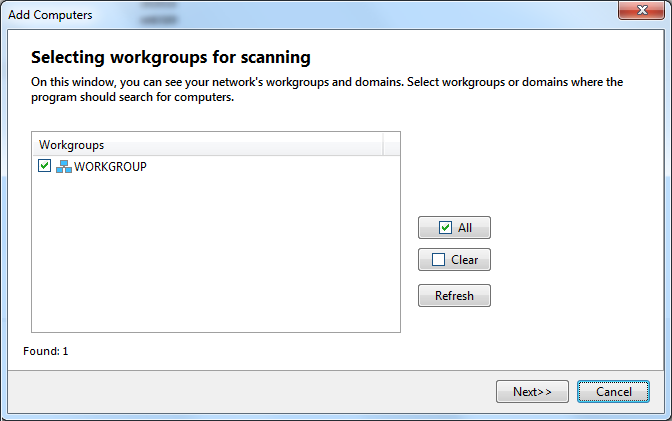
Network domains and workgroups will appear on the screen. Tick the workgroups where you want to search and click "Next".

The searching process can be cancelled before its completion by clicking the button "Stop".

All found computers will be added to the "Found computers" list. Tick needed PCs. All marked computers on the list can be added in the inventory list using the "Add" button.


Warning!
The unregistered program cannot add more than three computers to the inventory list when the trial period expired. Please purchase a license key for working with the number of computers you need to have inventoried.


download network inventoryDownload Free 30-Day Trial

buy network inventoryBuy Now (from $99.95)


Products:
Network Inventory Explorer
Inventory Hardware and Software on Network Computers

Network Monitor
Monitor Network Hosts, Servers, Switches, and Other Devices

LANState
Monitor Network Servers, Create Visual Network Maps

Bandwidth Monitor
Monitor Network Bandwidth and Traffic Usage

Network Diagram
Create Network Diagrams and Maps Automatically

Network File Search
Search Files on Local Network and FTP Servers

Connection Monitor
Monitor and Audit Access to Your Shared Folders and Files

SearchMyDiscs
Catalog Discs, Create CD/DVD Database, Search Files on Discs

Log-Analyzer
Analyze Your Apache/RAW Log Files

Site Map | Privacy Policy | Links
Copyright © 1999-2012, 10-Strike Software