Description of the program's windows (Interface)
The program consists of the main window and a number of auxiliary dialogs:- Group editor - Creates and edits groups of disks.
- Search - Searches for files in the collection.
- Find disk - Searches for disk by its title or description.
- Properties - Objects properties (disk, folder, file).
- Generate report - Report generation wizard.
- Select disk - Appears when the system has more than one CD-ROM drive.
- Scanning progress - Indicates the scanning progress.
- Lent disks - Stock of lent disks.
- Settings - Settings for scanning and appearance.
- Tip of the day - Tips on working with the program.
The main window contains three tabs:
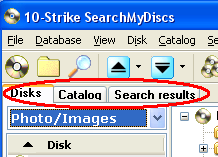
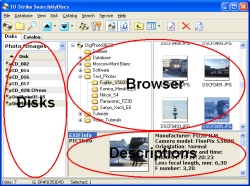
These panes are: Disk List (for selecting disk/folder), Browser (for browsing disk contents), Descriptions (for showing file, folder, and disk descriptions).
Two of them can be shown or hidden: Disk List and Descriptions.