Disk group editor
The editor is designed for creating, deleting, and editing disk groups, and for placing disks into groups.Groups make your work with disks more enjoyable. In the program's main window, you can see a list of disks that belong to a specific group (e.g. Music or Programs) and search the specific groups. For instance, if you are searching for some program, it will be more convenient to list only the disks with programs and not list disks with music or video.
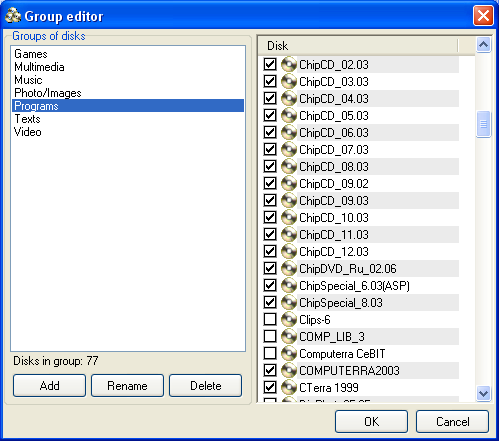
The right part of the window displays the list of available groups.
By default, the program has these groups: Video, Music, Programs, Games, and Texts.
To edit disk groups use the buttons Add, Edit, or Delete.
- [Add] - adds new group.
- [Edit] - renames selected group.
- [Delete] - deletes selected group.
Otherwise, use the Object properties dialog where you can add the disk to multiple groups.
When editing is completed, click the [Finish] button to confirm the changes or the [Cancel] button to quit.