Stock of Lent Disks
The program allows you to take stock of lent disks. To start doing this: select the item "Lend/Bring back disks" in the menu "Service".
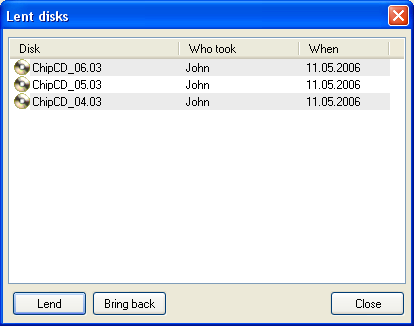
If your disks are returned, please select them in the list of lent disks and press [Bring Back], and then press [Close].
If your disks are taken, press [Lend]. The following window appears:
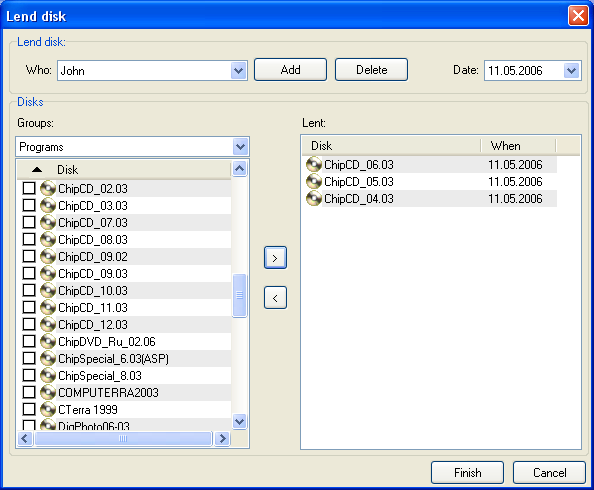
Sselect the name of your friend who takes your disks in the drop-down list"Who:".
If the list is empty, click [Add] and enter his or her name.
You can delete needless names (click [Delete]) and correct the date of transfer
(field [Date]).
Select disks for lending in the list on the left and click [>]. You can remove mistakenly added disks by clicking [<].
Press [Finish]. Selected disks will appear in the "Lent disks" window.
Hint! The program allows you lending or returning single disk faster, without showing the "Lent disks" window. This mode is available when the tab Disks is active.
To do this: right-click on the needed disk in the disk list on the left part of main window. Select "Lend" or "Bring back" in the context menu for lending or returning of this disk.