
List of Monitoring Checks
 Das Programm kann show all Überwachungsprüfungen in one list allowing you to audit or manage them in one place. Wählen Sie Hauptmenü item "Monitoring | All Monitoring Checks" (the hotkey F2). The "List of Checks" window will appear (Abb. 1) showing all Überwachungsprüfungen and some their parameters with status messages.
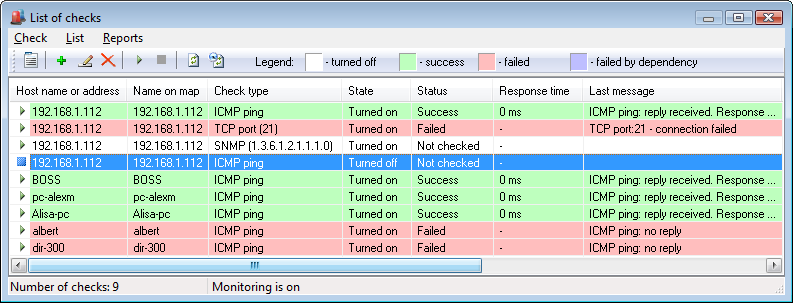
Abb. 1: The Check List Fenster.
On this window, you can add, edit, delete, start, and stop Überwachungsprüfungen, watch their state and observe the last check results. For your comfort, every line has its own color according to the legend at the top of the Fenster.
If the background monitoring is turned on (see the message at the bottom status line), and autorefresh trigger is also enabled, the information in the list will dynamically change displaying current check results, messages, and time in seconds till the next planned check. Sie können turn the autorefresh on or off by clicking the menu item "List | Refresh list automatically".
Hinweis! Um sort the list items by clicking the column headers or manage multiple Überwachungsprüfungen simultaneously, the autorefresh option should be disabled. Otherwise, these functions will not work.


