
Hosts aus der Netzwerkumgebung importieren
 To add one or more new devices to the existing
Netzwerkkarte from the network neighborhood, select the item Import hosts | From network neighborhood
on the map's Kontextmenü.
The Network tree window will appear on the screen. Select computers to be added to the map
by selecting Kontrollkästchen with computer names and click OK. The objects will be added to the map.
To add one or more new devices to the existing
Netzwerkkarte from the network neighborhood, select the item Import hosts | From network neighborhood
on the map's Kontextmenü.
The Network tree window will appear on the screen. Select computers to be added to the map
by selecting Kontrollkästchen with computer names and click OK. The objects will be added to the map.
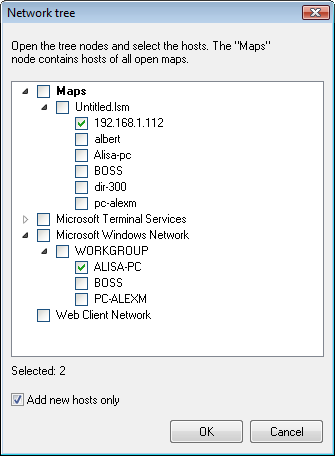
You are able to add only new hosts to the map by
enabling the Add new hosts only option on the lower part of the window. This feature helps to keep your maps actual
even if your network is big and grows fast.


