
Map Object List
 Das Programm allows viewing network objects not only
as a map, but also as a list. To build the list of the current map's objects, select the Service | Map object list item in the Hauptmenü. The list displays the map object names and network addresses, their IP and MAC addresses, NIC manufacturers, and other data.
Das Programm allows viewing network objects not only
as a map, but also as a list. To build the list of the current map's objects, select the Service | Map object list item in the Hauptmenü. The list displays the map object names and network addresses, their IP and MAC addresses, NIC manufacturers, and other data.
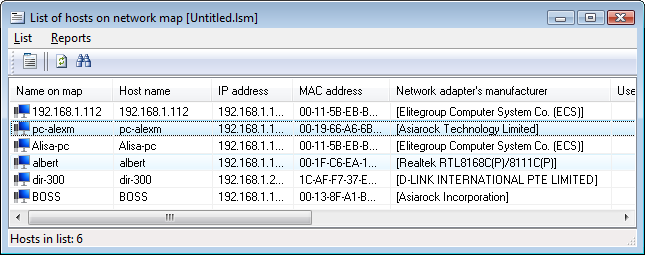
Fig.1: The list of the Netzwerkkarte's objects
Sie können move to the map icon from the list by double-clicking on a host.
Sie können export the list to an HTML or CSV report using the menu Reports | Save to file item and print it. Das Programm wird automatically create the report file in the specified folder. The HTML file can be viewed by any web browser installed on your computer. The CSV (comma separated values) file can be viewed by MS Excel or MS Access.


