
Scanning Ports
 The port scanner will let you retrieve information
on ports that are open on the local and the Remote-Computers. The function reads both TCP and UDP ports. Ports of the second
type are read much faster than are those of the first type. You may also provide scanning interval (Abb. 1) and time-out the time,
for which das Programm wird wait for response from the Remote-Computer.
The port scanner will let you retrieve information
on ports that are open on the local and the Remote-Computers. The function reads both TCP and UDP ports. Ports of the second
type are read much faster than are those of the first type. You may also provide scanning interval (Abb. 1) and time-out the time,
for which das Programm wird wait for response from the Remote-Computer.
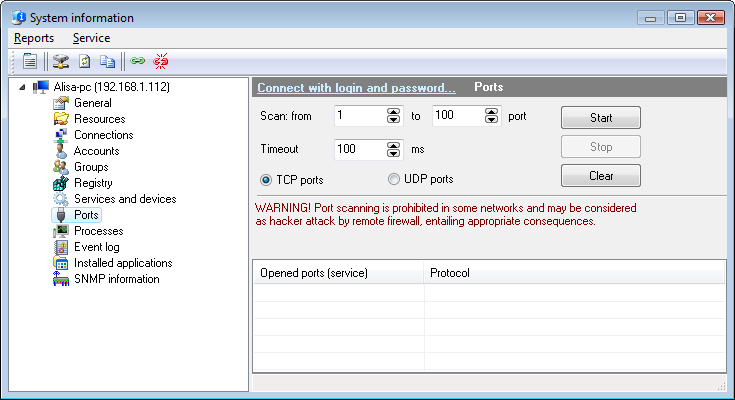 Abb. 1: Opened ports on the Remote-Computer.
Sie können copy the data you have retrieved to clipboard
and then paste it to any text file or Microsoft Excel sheet. Klicken Sie dazu mit der rechten Maustaste on the service list and then select
In Zwischenablage kopieren on the menu that appears.
IMPORTANT! In most cases, firewall programs treat scanning ports as attack, and that may lead to the
respective sequences (you may be banned, disconnected from the network, or punished any other way), for which
10-Strike Software will not be held liable. If you are not an administrator in your network, use
this feature on your own risk.


