
Viewing Switch Configuration Files
Das Programm supports remote retrieval and display of key configuration files from managed network switches via a secure SSH connection. Die folgenden configuration types are supported:
- running-config the currently active configuration loaded into the device's RAM.
- startup-config the saved configuration used during device boot.
- vlan.dat (for compatible devices, such as Cisco) A file containing VLAN configuration information.
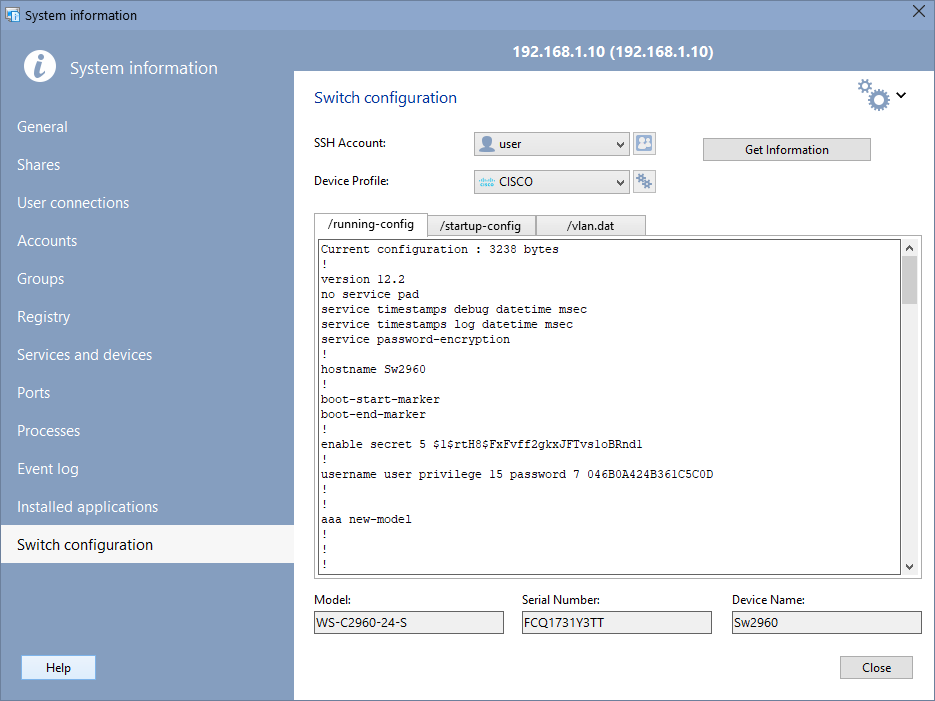
Configurations are retrieved directly by executing SSH commands (e.g., show running-config, show startup-config, usw.) and then displayed in a convenient text window within the program interface.
Practical benefits for system administrators
This feature significantly speeds up routine tasks:
- Quick access to the configuration: no need to open a separate SSH client. All the information you need is available in the same interface that displays the network topology and device status.
- On-site diagnostics: In the event of a failure or suspected misconfiguration, the administrator can instantly check the current settings of ports, VLANs, ACLs, STP, routing, and more.
- Configuration consistency check: Sie können quickly compare the running-config and startup-config to ensure that the changes you made were saved.
- Enhanced security: Using SSH ensures data encryption during transmission, unlike unsecured protocols such as TFTP or Telnet.
How to use the function
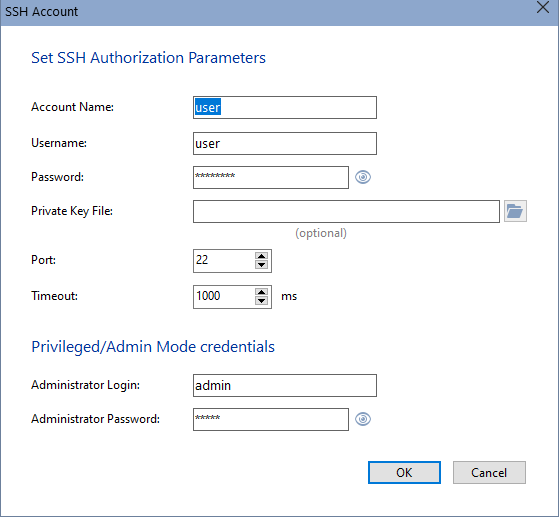
- Öffnen Sie Programmeinstellungen, klicken Sie auf SSH section, and specufy an SSH account to connect to the device.
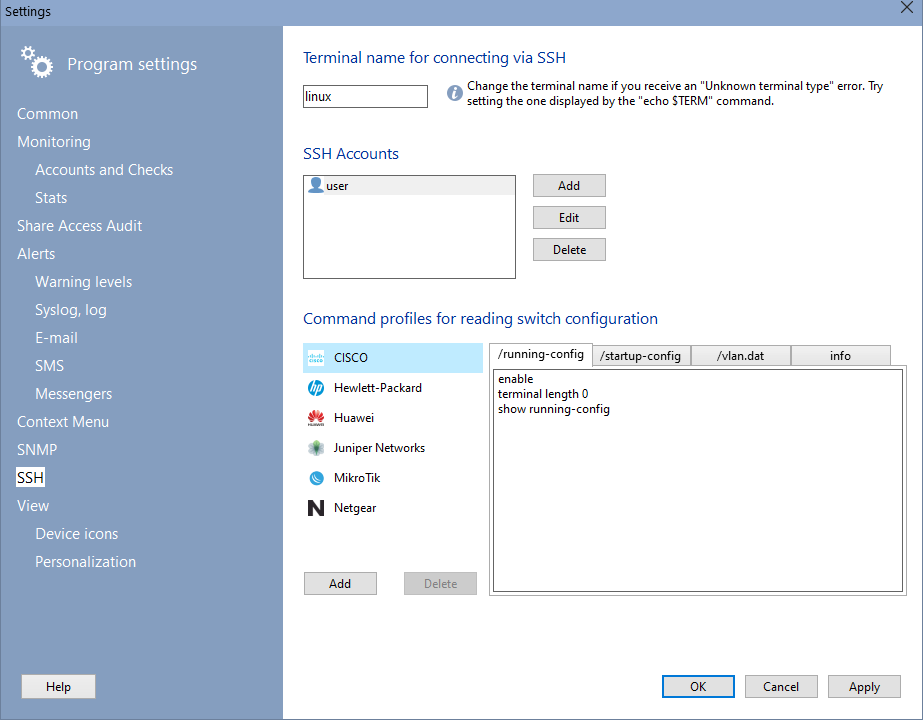
- If necessary, edit the commands to obtain the configuration in the Command Profiles subsection.
- In LANState, add or select the device on the map.
- Öffnen Sie System Information window from the icon menu and go to the Switch Configuration section.
- Wählen Sie SSH account specified in the Programmeinstellungen from the list.
- Specify the device profile (CISCO, HP, usw.). Das Programm detects the device profile by MAC, if one is specified.
- Klicken Sie auf Get Information button.
Das Programm wird establish an SSH connection, execute a series of commands, and display the results in the viewing Fenster.
If necessary, the contents can be manually copied to the clipboard for further analysis or documentation.


