
IP-Filter für den integrierten Webserver - 10-Strike LANState
 Here you can configure the web UI access settings based on the address filter and user authorization:
- Wählen Sie IP filter's default access policy: Allow or Deny. Add IP addresses to the list. Sie können add, edit, or delete addresses.
- Sie können außerdem enable the user authorization. Enable the Authorization is required setting. Specify the Username and Password. When a user connects to the web server, the web browser will display the authorization window with the username and password fields.
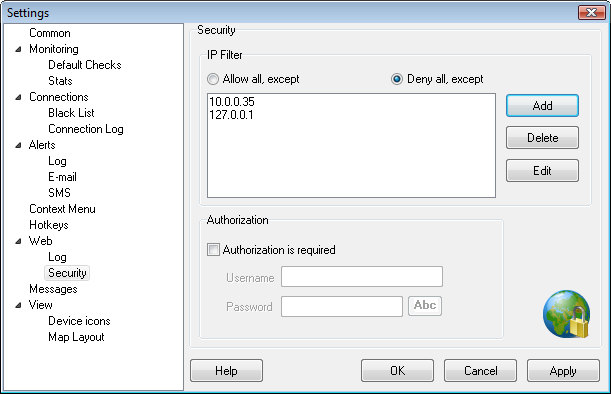
Abb. 1: The Web Server Security Settings (IP filter and authorization) Fenster.


