
Map layout settings
 Created maps do not always look good. If there are too many devices on the network, connection lines may be drawn too short and the devices are located too close to each other or even overlap. If the devices on the created diagram overlap, please try to change the radiuses and create the Netzwerkkarte again.
To do this, please perform the following steps:
1) Wählen Sie Service -> Settings... Hauptmenü item.
2) On the Programmeinstellungen window, select the View section and select the Map Layout sub-section option.
3) Edit the default radiuses.
4) Click OK for saving the settings.
5) Start the Netzwerkkarte creation process.
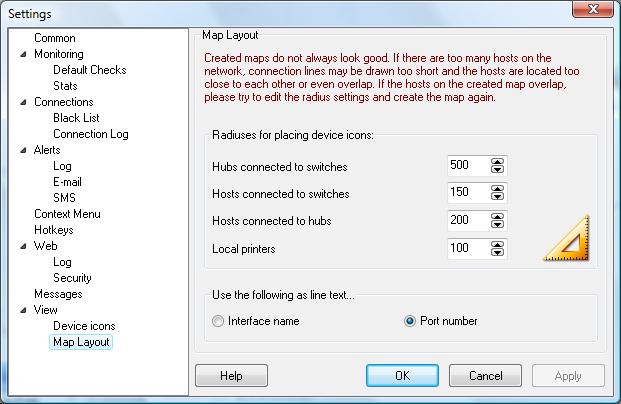
If devices overlap on the Netzwerkkarte, increase the radiuses. See the picture below. It contains the radiuses that can be configured:
 Hubs connected to switches
 Devices connected to switches
 Devices connected to hubs
 Local printers
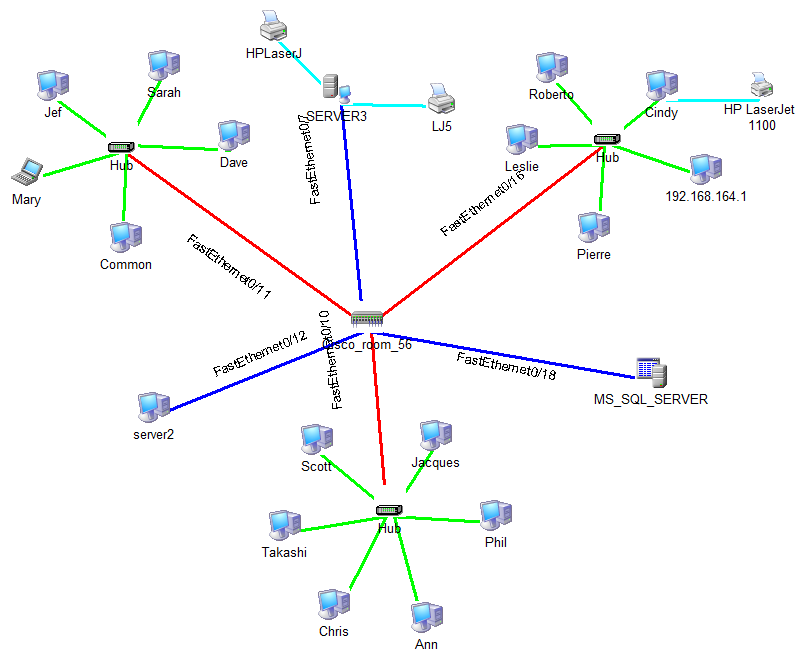
Sie können außerdem select what to write on device connections lines. This can be the network interface name (zum Beispiel,
FastEthernet0/11) or just the switch port number (zum Beispiel,
:11).


