
Alerting Levels
Das Programm supports two basic check states and alert levels: "passed" (green) and "failed" (red). If you want, you can add intermediate warning levels for generating alerts on events when the situation is close to a failure but it is not the failure yet. Zum Beispiel, you can add an alert level called "Warning" and respond to situations when the controlled parameter's value is still acceptable but close to the failure range. When the check state changes from one alert level to another, das Programm wird generate a notification. When an alert level changes to the "greener" level, the "green" type of alert will be raised (you will get the "passed" check's notification and messages). And vice versa, if the alert levels goes to the "red" zone, you will get the "failed" notification.
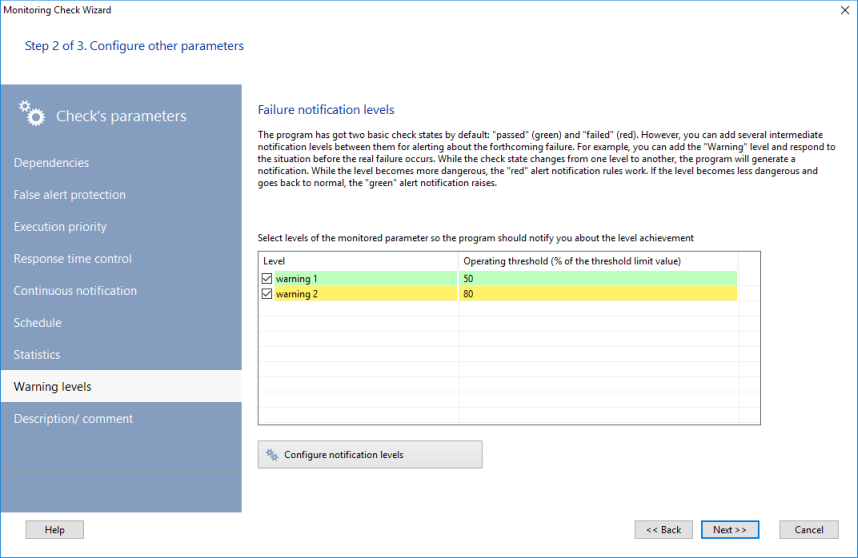
This section of the Programmeinstellungen ermöglicht Ihnen, configure the default alerting level templates. Each level can be enabled individually in the Überwachungsprüfung parameters.


