Our Clients

How the Network Diagrammer Program Works
10-Strike Network Diagram offers two ways to creating a network topology map.
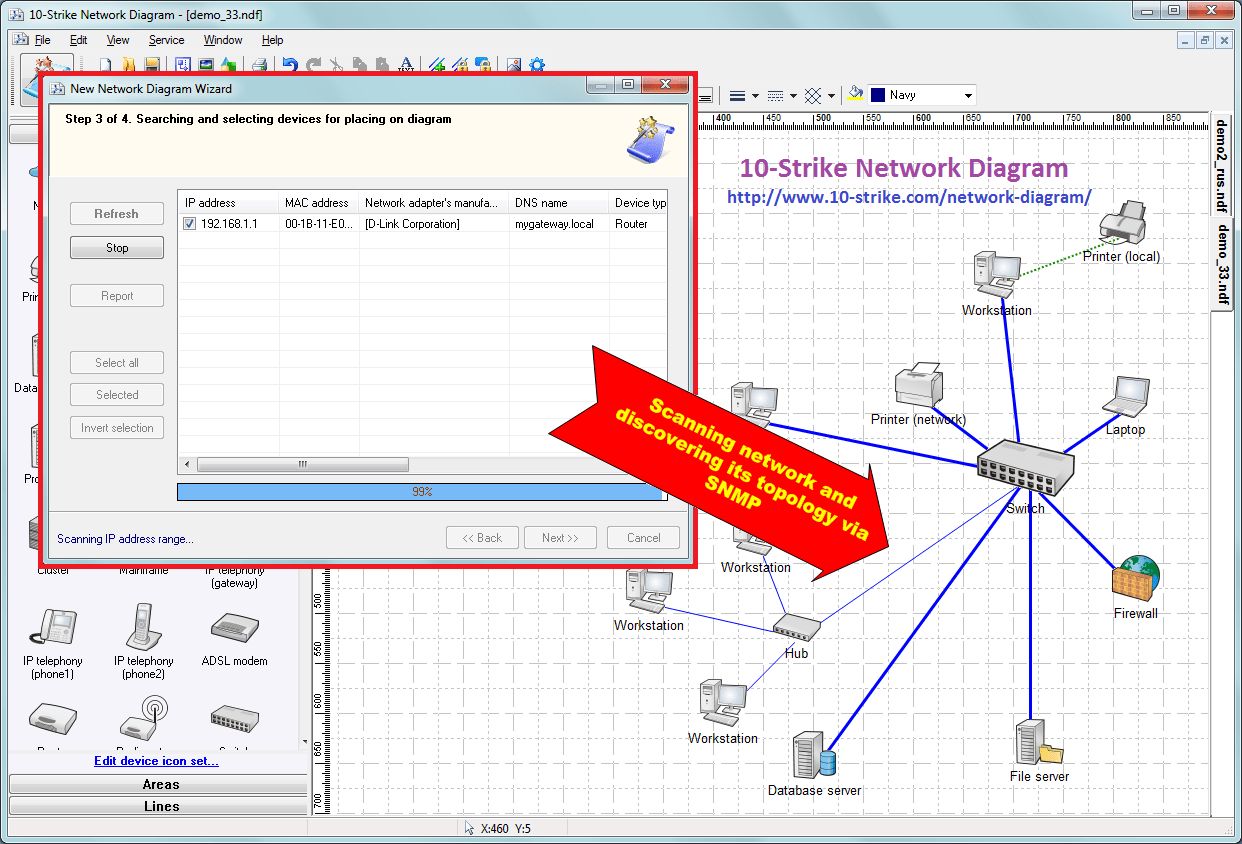
The first one is the automatic network scanning and diagram creation. According to user-defined IP ranges and discovery methods, the application attempts to scan the network and locate devices. Available search methods include pinging over ICMP, scanning specified TCP ports and ARP tables, SNMP and LLDP devices. The application runs several parallel threads for searching for devices within a specified range. Scanning a range of 1500 IP addresses takes no more than 3-4 minutes. The application can also locate devices with active SNMP agents: switches, network printers, routers, etc. Using the data obtained from the switches over SNMP, the application draws graphic connections between the network devices it has found. While doing that, the program will make up a pretty picture of icons and connection lines on the map in the form of graphs. Connections to a switch can be labeled with port names of that switch. 10-Strike Network Diagram employs an original sophisticated algorithm for recognizing the device types. Thus, the application can recognize networked and local printers, servers (file, database etc.), routers, managed switches, and hubs.
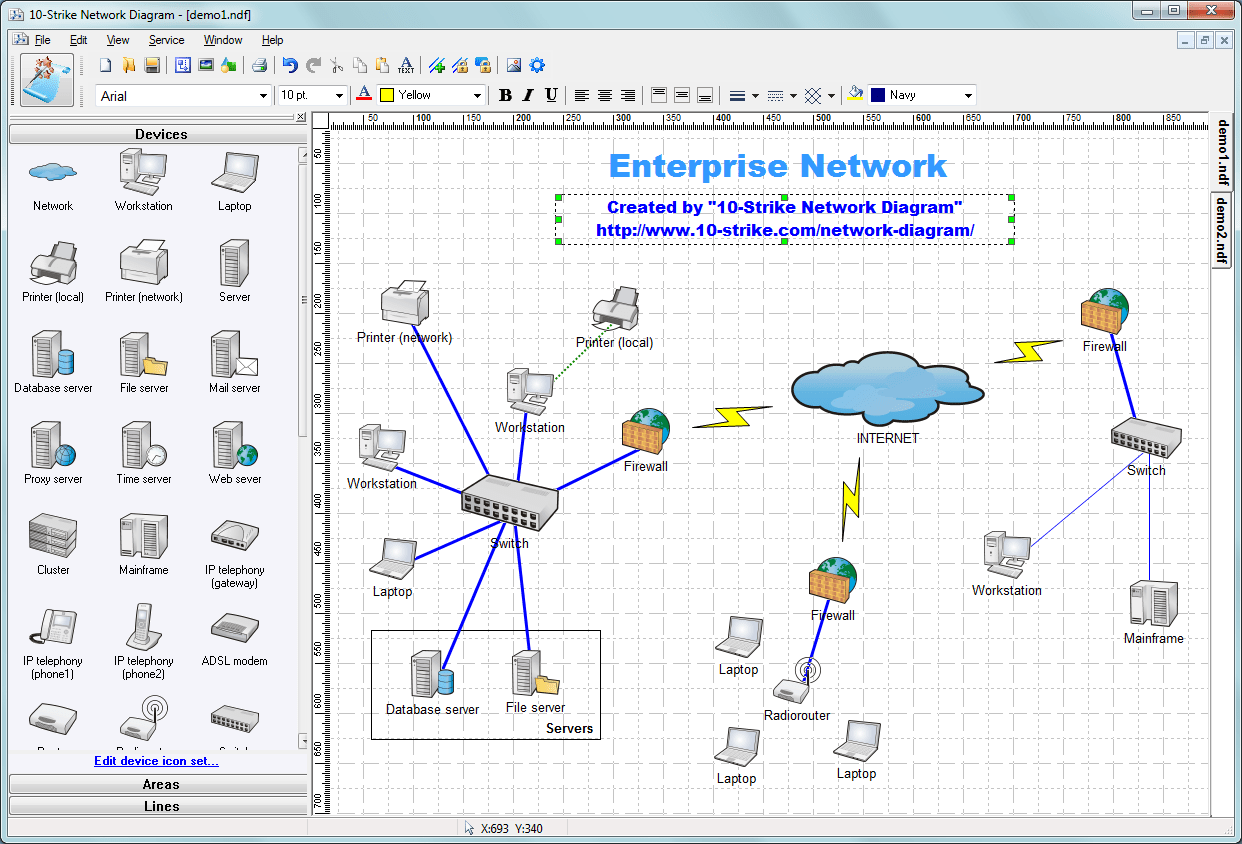
The second way is the manual diagram editing using the built-in editor. The software includes a library of various devices, objects, graphic primitives, and lines. You can easily place required device icons on a diagram, link them together with connection lines, draw areas, and sign them. All the operations are intuitive and do not take much time to complete.
A ready network diagram can be saved as a file for later editing and using, or exported to a vector (Windows Metafile) or raster (JPEG, PNG, BMP) image, or even exported to a Microsoft Visio document for further editing and using. The program can also print created network diagrams on paper.
Screenshots
Enterprise network diagram example:
Scanning and discovering network topology via SNMP and creating network diagrams:
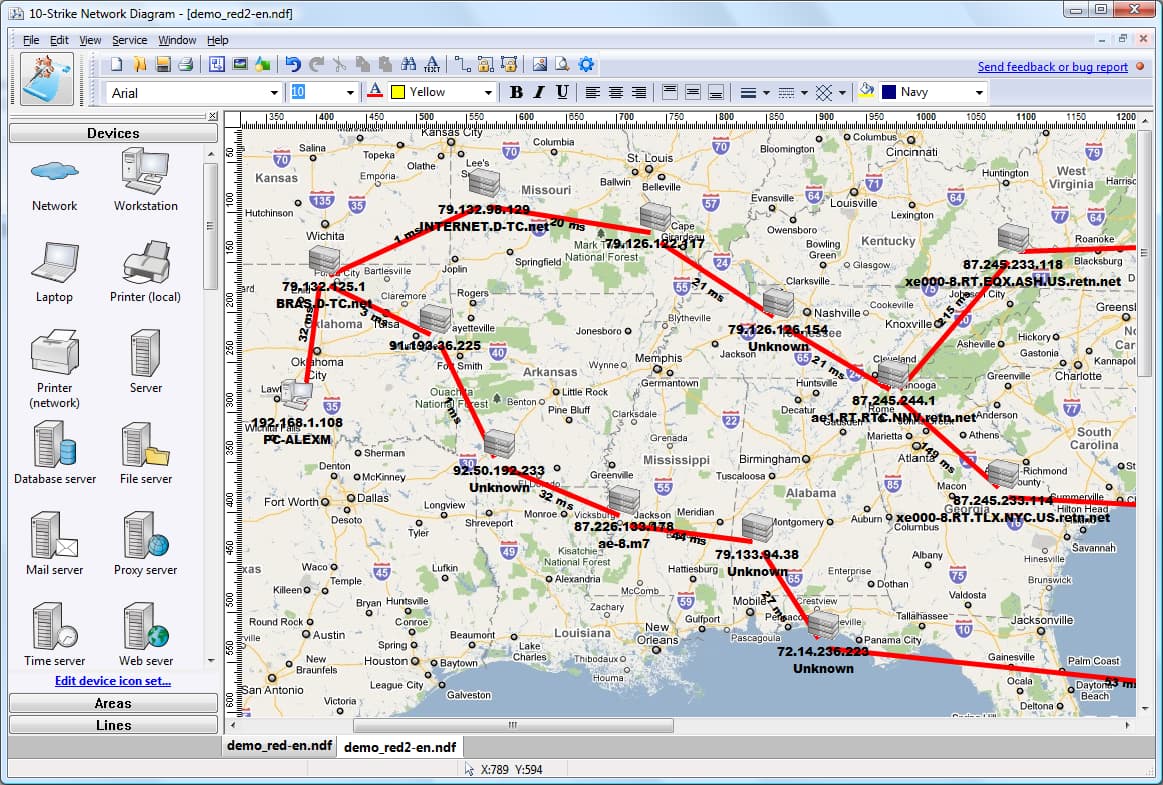
Starting from the version 2.2, the program can create global networks diagrams using route tracing. The program allows you to use Google Maps as background images:
 What else? If you want to monitor hosts placed on your network diagrams, try our network mapping and monitoring program
 RSS
RSS