Using Configuration Summary Tables:
1. Software inventory and stock-keeping. You can create reports on the availability of particular programs and number of copies installed on computers. Create reports on versions of operating system, installed updates and bug-fixes, codecs or entries in the automatic startup group.
2. Planning and preparation of hardware upgrades. Create reports on computers with insufficient RAM size or disk space (e.g., all computers with less than 512 MB of RAM). Similarly, you can create reports on computers with particular CPU models, video cards or printers.
To create a configuration summary, click the toolbar button "Main -> Summary Table".
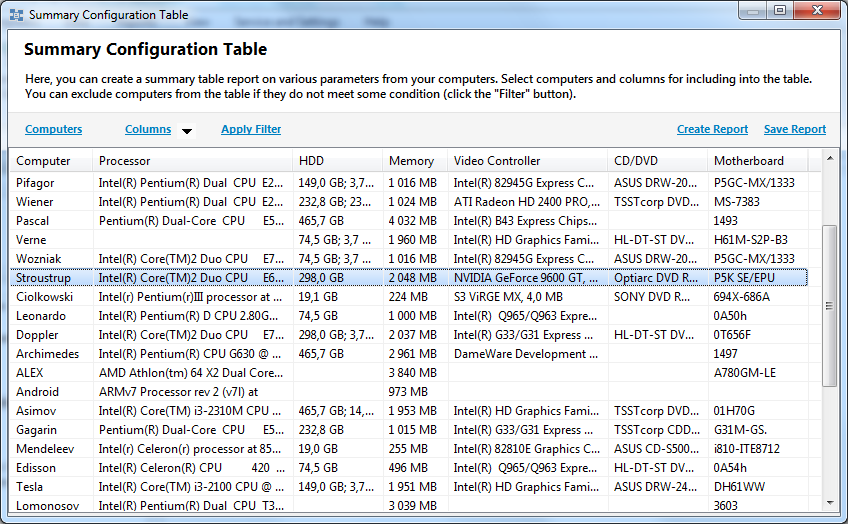
The new window that appears will display the computers that match the specified
terms. During the first launch (by default), the program will display computers' hardware
configuration summaries.
At the bottom-left, you can see the button for saving the summary to file.
The drop-down list by the button allows selecting the format for saving the
summary table to a file.
The following file formats are available for saving the report:
- HTML
- MS Word
- MS Excel
- Comma separated values (CSV)
- Plain text
The summary report is a powerful tool for creating table reports on any inventory information stored in the database. How to modify the table to your needs from the default state?
1) Hit the "Computers" link to select computers to be included to the summary table report (horizontal lines).
2) The button "Columns" selects the data to be displayed in the table columns.
3) The button "Filter" allows specifying conditions for selecting computers to be added to the report.
For instance, you can select computers with a specific program installed, or computers with a particular RAM size.
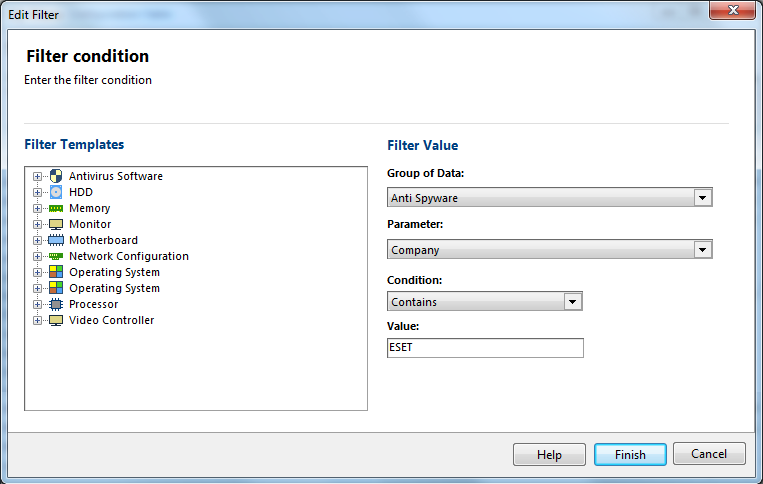
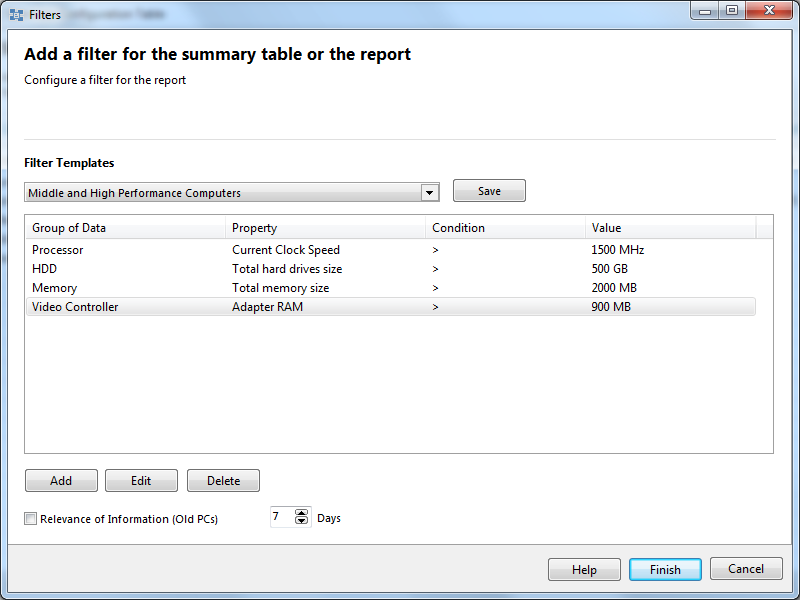
You can add several filters simultaneously so your report can be very specific. There are also several pre-defined filters you can use. You can also save the filter sets as templates for future use.
Configuring the RAM module size term as an example:
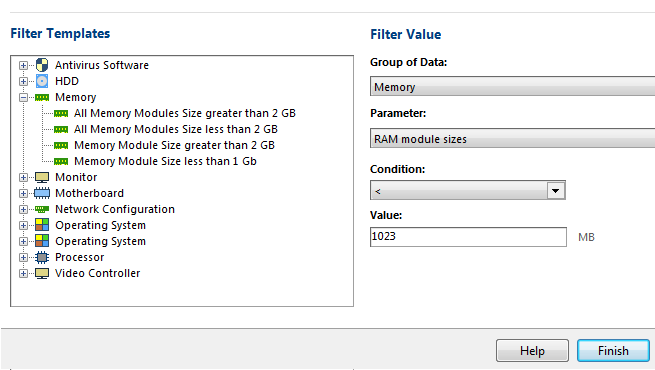
You can use several filters simultaneously. When creating filtering terms, you can use the following conditions:
- More than (>)
- Less than (<)
- Equal (=)
- Not equal (<>)
- Contains
- Does not contain