
Web Interface Settings
 What the Web UI is for?
When the program's web UI is enabled, you can access the Netzwerkkarte remotely using other computers and mobile devices though the web technology. Zum Beispiel, the system administrator can configure and maintain the Netzwerkkarte on his desktop or server, while other users can access it using web browsers (in the read-only mode) and watch states of the map hosts (active/failed). They can also watch the Überwachungsprüfungen' results, create various reports, build charts, and access the monitoring logs.
This feature is available in LANState Pro only (it is not available in the standard version).
On the "Web" section of the Programmeinstellungen window, you can enable and configure the program's web interface.
- Wählen Sie web map format:
- interactive map (you can click device icons and bring up the user-defined Kontextmenü to execute commands)
- rendered static image (you cannot click devices and bring-up menus, the whole map is displayed as a big image just for viewing). - Set the refresh interval. This interval affects on how fast the host state changes will be displayed on the web map.
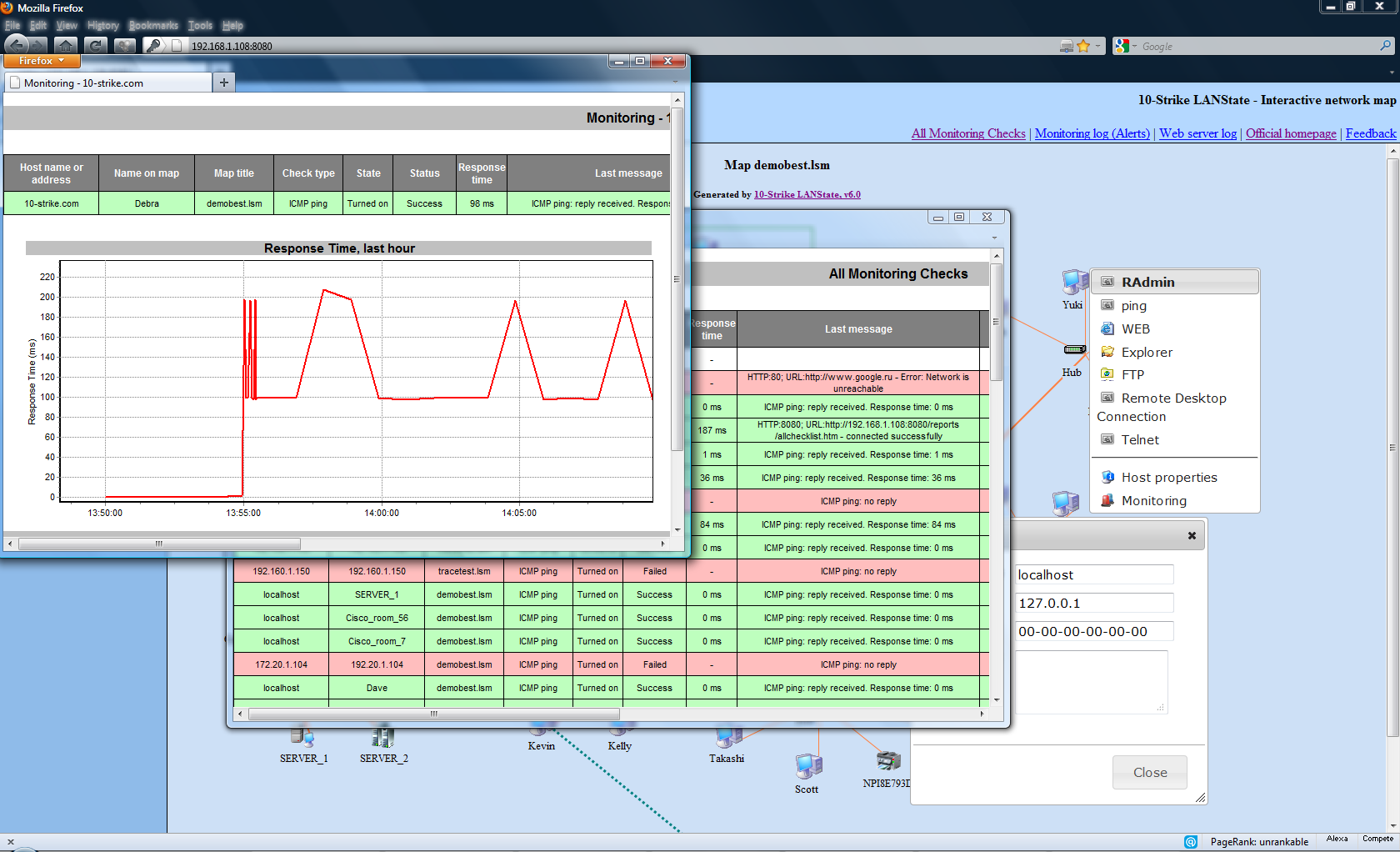
Sie können choose whether to use the built-in web server or use an external web server (Apache, IIS, etc).
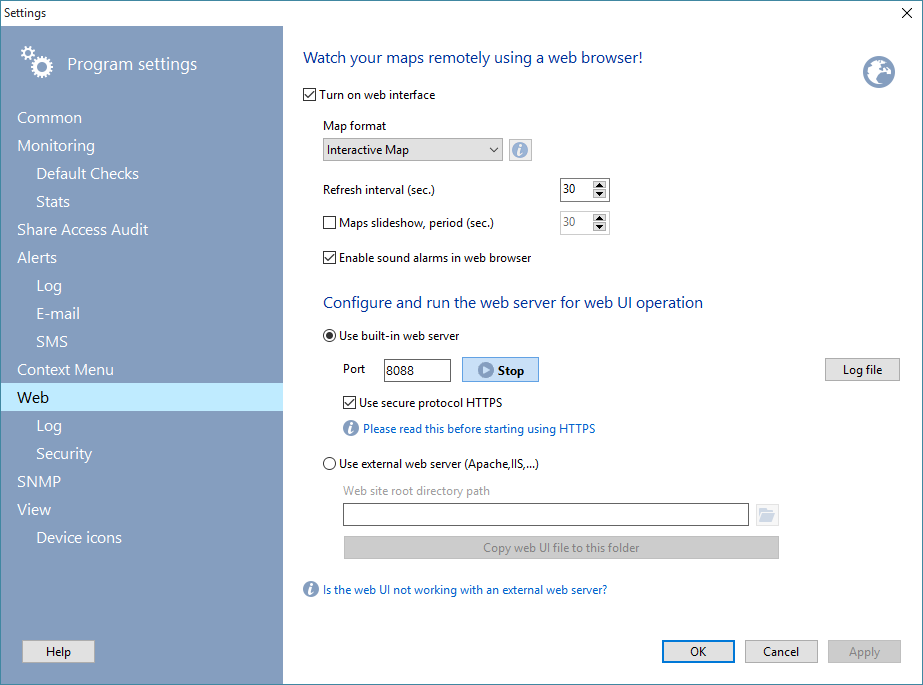
Abb. 1: The Web settings Fenster.
If you have selected the built-in web server:
Configure the web server's TCP port number and click [Start]. Bitte beachten Sie, if you change the standard web TCP port 80 to another value you will need to add that new port number after a colon in the address string in your web browser (zum Beispiel, http://192.168.1.1:811).
Sie können configure the IP address filter and enable the user authorization for the security reasons (klicken Sie auf [Security] button to do this).
Sie können enable the secure protocol HTTPS for the web access. Please read this topic to learn how to do this: Configuring the HTTPS web access in the web UI.
Klicken Sie auf [Log file] button for changing the web access log settings.
If you have selected using the external web server:
Specify the local web site directory path where LANState Pro's web map files should be copied to so you will be able to integrate it with your existing web site. The web map files will be copied to that folder automatically and repeatedly according to specified refresh interval refreshing the map changes.
Sie könnennot watch the monitoring statistics and generate charts for a selected host in the external web server mode. The reason is that this information is provided by the program upon the direct web browser's request. This can only be done in the interactive mode when the program operates as the web server itself. An external web server will generate the 404 error (not found) in this case.
When IIS (Internet Information Services) is used as an external web server, it is necessary to register a new MIME type in its settings (in the IIS Manager):
.json
application/javascript
Otherwise, the web browser will display the 404 errors (not found) when it tries to read the JSON data files.
Siehe auch: The map Kontextmenü operation in the web mode (issues with running user commands in various web browsers).


