Common settings
In the section Common you may configure the following settings:
- Minimize on ESC
- Shortcut on desktop
- Autorun
- Minimize on startup
Let us review each property in details.
Minimize on startup
The program will minimize automatically on its startup.
Minimize on ESC
When this option is selected, you may minimize the application by pressing the Escape key on the keyboard. Please see the Hotkeys section for information on other hotkeys available in the program.
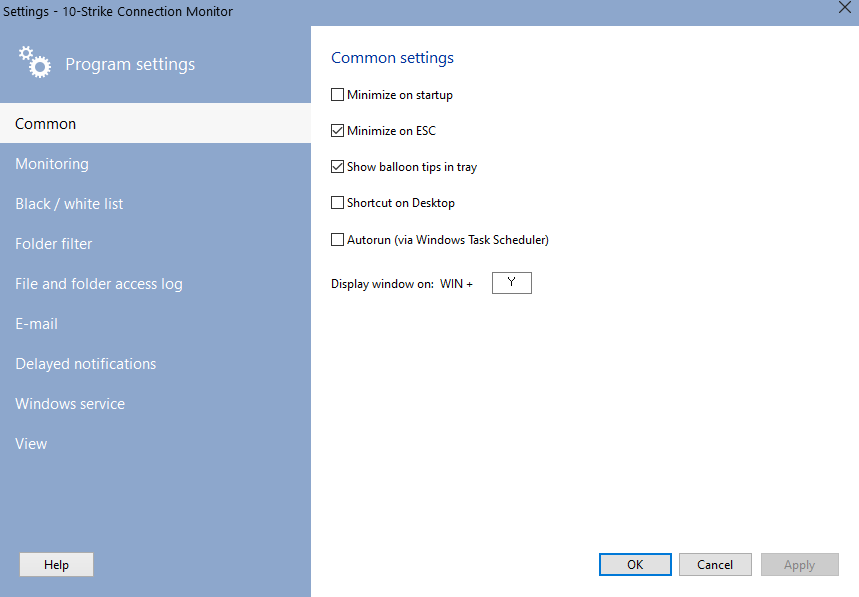
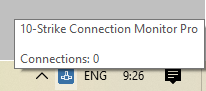
Show baloon tips in tray
When this option is selected the program will show baloon tips (in the system tray) displaying remote user's name and PC when someone is connecting to your share.
Shortcut on desktop
When this option is selected, the program creates a shortcut on the Windows Desktop. This shortcut can be removed from the desktop by deselecting this option.
Autorun
The program will start automatically each time you start Windows.

Inventory Hardware and Software on Network Computers

Monitor Network Servers, Services, Managed Switches, etc.

Monitor and Manage Network Hosts on a Visual Map, Create Network Maps

Monitor Network Bandwidth and the Internet Traffic Usage

Create Network Diagrams, Discover Network Topology

Search Files on Network Shares and FTP Servers

Audit Remote User Access to Shares (Folders and Files)

Free Program for Scanning Networks, Hosts, and TCP Ports
 Networking Software Bundles