Creating Accounts
You must create at least one mail account before your first connection to your POP3 mail server. You can use multiple accounts with the program.
Press F11, or click the  button on the toolbar, or select the main menu's item Accounts... to display the Accounts window.
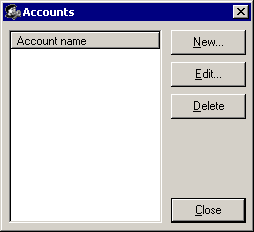
The Accounts Window
Click New... to create new mail account. Click Edit... to edit existing account.
On the next step the Account Setup window will be displayed.
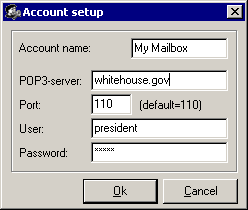
The Account Setup Window
Enter account name, POP3-server's address, server's port, login, and password.
If you need to copy account, start editing original account and then change its name to make a copy.


 Networking Software Bundles