10-Strike Network File Search Pro contains a built-in web server, which allows remote users to search files on your local network using a regular web form, without installing any software. In this example, the software is installed on a single computer within the network, which will search files on local network shares and FTP servers and create a database of local files. Internet users connect to the search software using their web browsers, type-in their search requests, and get search results from the database. The application can update the database automatically by running repeated searches with a specified interval (enable the Scan with interval option in the program settings).
To run the built-in web server, enable the Web server is active option in the program settings and configure the TCP server port (8010 by default). Network users can search files by opening the URL "http://your_computer_network_address:8010" (Make sure you have allowed the application to access the Internet in your firewall application).
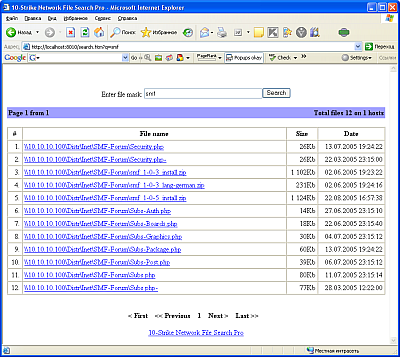
The browser will open the search form, where you can enter your search phrase and then click the Search button. The search result pages will come up once the search is completed. If you enter the '*' in the search line, you will see all files available on the network. Clicking on file names will open the files.


 Networking Software Bundles