Getting Hostname by IP Address
 To retrieve a device's hostname: enter the device's
IP address to the corresponding field (Fig. 1) and click Retrieve.
To retrieve a device's hostname: enter the device's
IP address to the corresponding field (Fig. 1) and click Retrieve.
This operation takes some time; you should allow
10 to 30 seconds for it to complete, depending on network's performance and configuration. If your DNS is configured fine, it will take a fraction of a second. The indicator in the upper right corner
informs when the program is ready (green) or busy (red).
Once hostname is available, you can find it on
the network map (click the button Show).
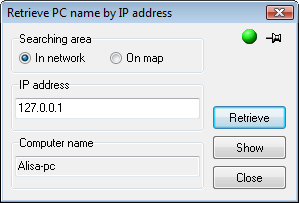
You can search for device on the map if you are
sure it exists there: set the switch Searching area to the position On map.


 Networking Software Bundles