Ping
 The program's Ping function is similar to the Windows' "ping" command but is more convenient thanks to the graphic interface. You can specify the following settings:
- Data packet size
- Number of requests
- Response timeout
The ping results and error messages are displayed
in the Results window (Fig. 1).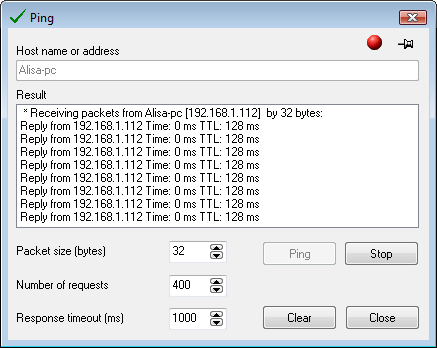
Fig. 1: The Ping window.
The indicator in the upper right corner informs
whether the system is ready (green) or busy (red). The ping process can be cancelled before its
completion by clicking the button Stop.


 Networking Software Bundles