10-Strike LANState Online Help

Remote Connections

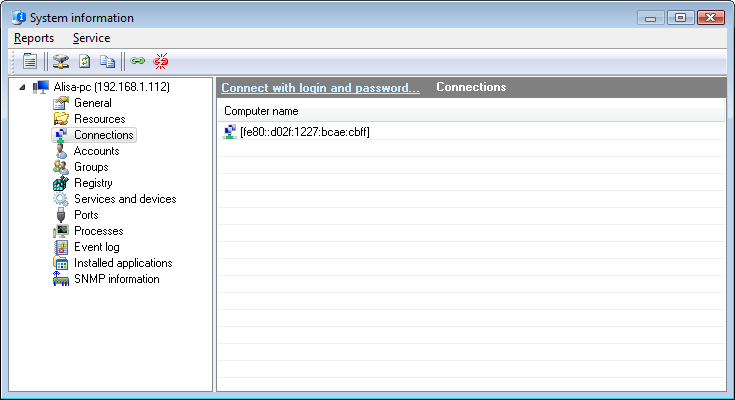
arrow This function allows obtaining information on active connections to a remote computer. For instance, you can see who is currently using shared resources on any remote computer on the network. The function is available via selecting object'scontext-menu item System Info | General (or via the main menu Host | System Info | General). The window (Fig. 1) displays hosts that are using the remote computer's shared resources.

Remote connections to shared resources
Fig. 1: The Remote connections window.

arrow You can copy the data you have retrieved to clipboard and then paste it to any text file or Microsoft Excel sheet. To do that, right-click on the service list and then select Copy to clipboard on the menu that appears.


Products:
Network Inventory Explorer
Inventory Hardware and Software on Network Computers

Network Monitor
Monitor Network Hosts, Servers, Switches, and Other Devices

LANState
Monitor Network Servers, Create Visual Network Maps

Bandwidth Monitor
Monitor Network Bandwidth and Traffic Usage

Network Diagram
Create Network Diagrams and Maps Automatically

Network File Search
Search Files on Local Network and FTP Servers

Connection Monitor
Monitor and Audit Access to Your Shared Folders and Files

SearchMyDiscs
Catalog Discs, Create CD/DVD Database, Search Files on Discs

Log-Analyzer
Analyze Your Apache/RAW Log Files

33-60% Off!
Buy Any Enterprise License for $995.00!
Buy 7 Enterprise Licenses for $3995.00!

We need your clicks here:
Site Map | Privacy Policy | Links
Copyright © 1999-2013, 10-Strike Software