Tracing Routes
 The Trace route function is similar
to Windows' tracert command but is more convenient. You can specify the following parameters:
The Trace route function is similar
to Windows' tracert command but is more convenient. You can specify the following parameters:
- Number of hops
- Response timeout
The trace route results and error messages
are displayed on the Results window (Fig. 1) and can be displayed on the map by arrows between hosts (Click Show on map to do this).
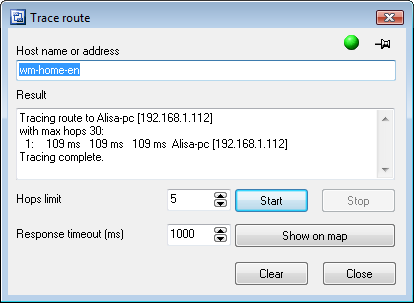
Fig. 1: The Traceroute window.
To perform the route tracing process faster, enable the Do not detect DNS names setting.
The indicator in the upper right corner informs
whether the system is ready (green) or busy (red).
The tracing process can be cancelled before its completion
by clicking the Stop button.


 Networking Software Bundles