Remote Registry
 The function allows you to access and watch the registry on a remote computer. Our testing has indicated that you can get more information with this function than with the standard
Windows tools.
The function allows you to access and watch the registry on a remote computer. Our testing has indicated that you can get more information with this function than with the standard
Windows tools.
If the program cannot read the remote registry (and you have all necessary rights for this), please read this solution in our FAQ: The program cannot get the list of running services, processes, and installed software from a remote PC.
The information on the registry keys being opened is acquired
in the real-time; therefore some delays can occur while opening the nodes. Not all of the registry keys being displayed can be finally opened because not all keys are accessible. This depends on the security policy applied on the remote computer.
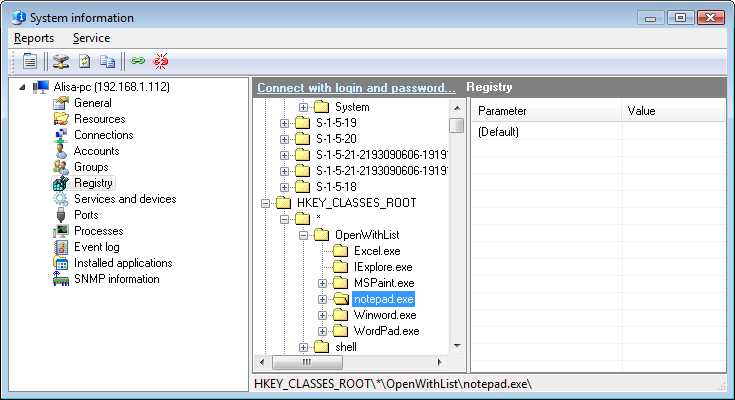
Fig. 1: The Remote Registry window.
Use the context menu to copy the current registry path to the clipboard.
Double-click a selected line to watch parameters and its values.
You can edit, delete, and add new values using the context menu. These operations require administrator rights on remote computers. If the current user does not have such rights, you can connect to the remote computer using the administrator's credentials. Read here how to do this.


 Networking Software Bundles