Switch Connection Table
 One of the data sets the program can retrieve from a managed switch over SNMP is the connection table. With this table, you can quickly find out, which hosts take a certain port on the switch, resolve their MAC and IP addresses. The major advantage of this function is that it can simultaneously retrieve connection tables from several switches defined in the field Switches (Fig. 1). Moreover, the retrieved table can be exported to a CSV file and then opened in Microsoft Excel.
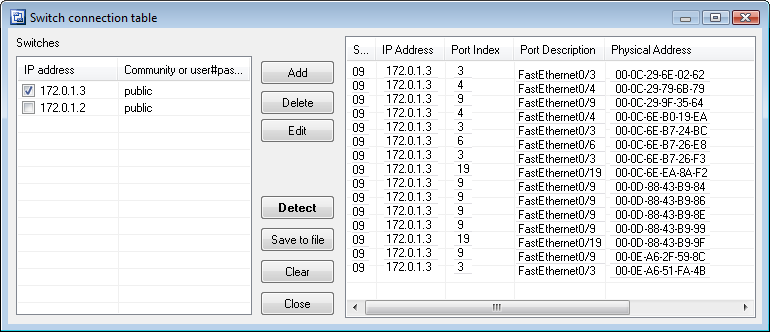
Fig. 1: The Switch Connection Table window.
The function is available in LANState Pro only. To call the function, select the SNMP | Switch Connection Table item on the main menu. The program will automatically generate the list of switches on the active network map. If no community strings were specified in the on the switch properties window earlier, you will have to specify them at this moment by selecting each record in the Switches list and clicking the Edit button. The default community string value set by switch manufacturers is normally public. After configuring the list of switches (only selected switches will be polled), click on the Detect button and wait for a few moments (depends on many factors; normally it takes from 3 to 10 seconds to process one switch). If the table has been generated successfully, it will be displayed. On the next step, you can save the table to a CSV file using the Save to file button for exporting it to Excel.
Check other SNMP functions: SNMP information, SNMP value monitoring, SNMP trap receiving


 Networking Software Bundles