SSH account settings
 The program uses the SSH (Secure Shell) protocol to retrieve switch configurations and various metrics for network monitoring. In this settings section, you can set up accounts and other parameters for data requests via SSH.
Terminal name for SSH connection
This parameter is used in the SSH verification to connect to a remote server. Some SSH servers are picky about the terminal name and may return an error when connecting "Unknown terminal type". In this case, you must specify the correct name. In Linux, you can find the terminal name with the command echo $TERM.SSH Accounts
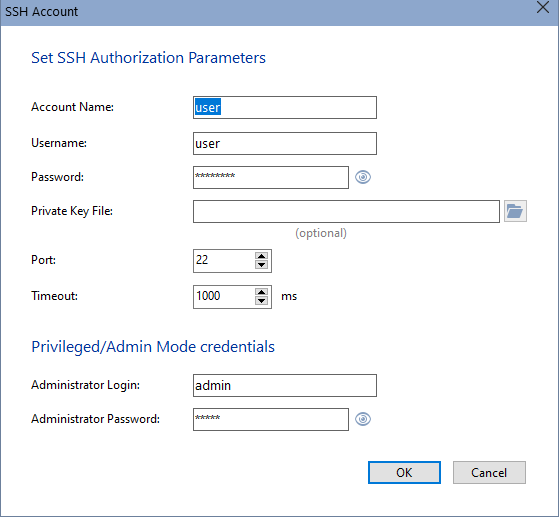
Set the accounts once, then simply select them from the list when creating new checks. These same accounts are used when scanning the network and finding switches to retrieve configuration files from. To use the "SSH" check and retrieve metrics from a remote host, simply set the login, password, and port. To retrieve the switch configuration, you must specify the administrator login and password to enter Admin mode.
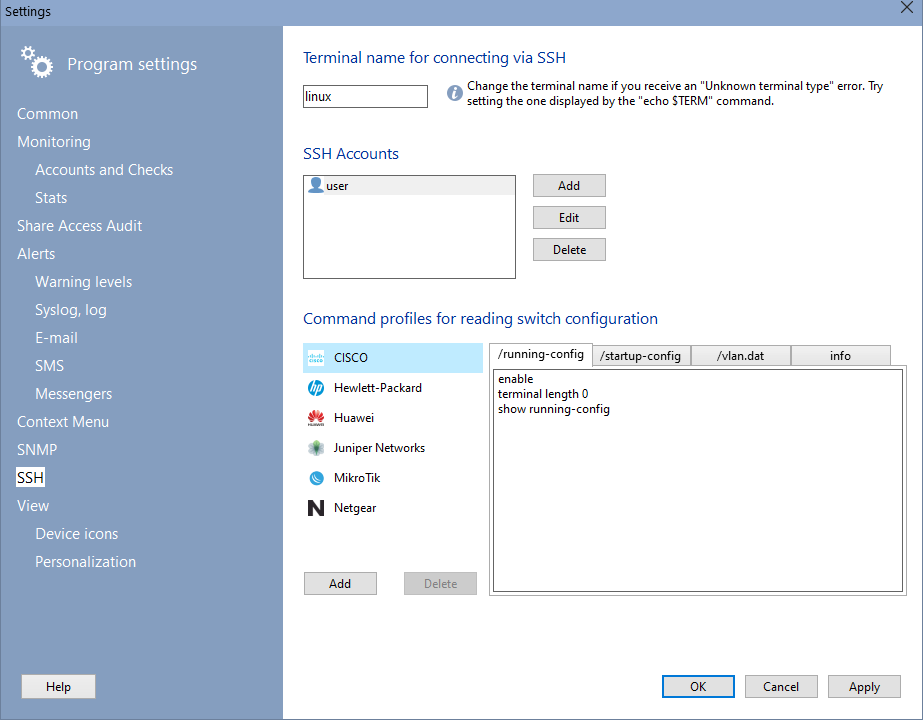
Command profiles for reading the switch configuration
The program can read the switch configuration files startup-config, running-config, and vlan.dat. However, each network equipment manufacturer has its own set of commands for obtaining this data. The program includes ready-made templates for some major manufacturers. You can also add your own command profiles. If none of the predefined profiles work with your equipment, add your own profile using the Add button and enter commands in the /startup-config, /running-config, and /vlan.dat tabs. The last tab, info, contains commands for obtaining the switch model and serial number. Before using, try these commands in a standard terminal and ensure they return the required data. You can search for commands for obtaining information in the documentation or on the internet.


 Networking Software Bundles