The program can monitor the state of locally-connected printers (these can be networked printers configured for printing via network but installed as a local printer on the system) using this check. The printer monitoring allows you to find out whether the networked printer is ready before sending documents for printing to it. This check can be useful when users treat claims to a system administrator that the remote printing does not work. The administrator can check the printer remotely, watch the printer's current state, and take some measures if necessary.
Warning! This check operates via WMI. The remote WMI execution can fail with default Windows security settings. Your system should work with the classic access model (or normal, not guest) and you need admin rights on a remote PC to gather information from it via WMI.
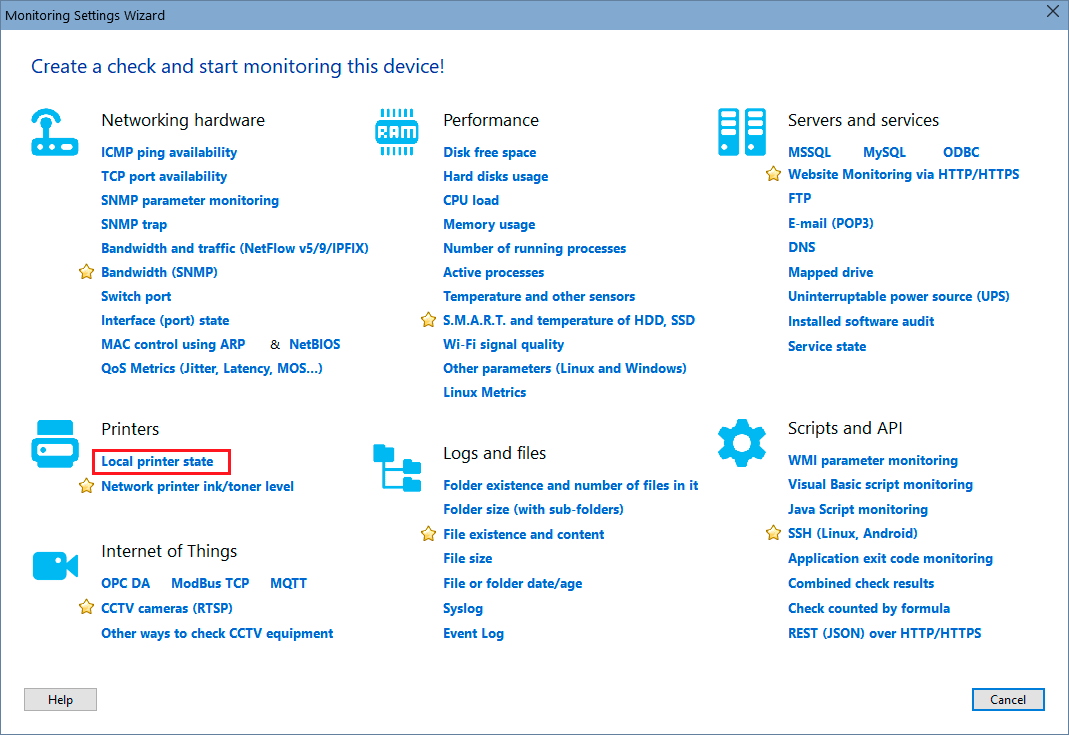
In order to add this check, select a host, then click "Add check", and find the necessary monitoring check name on the Wizard window.
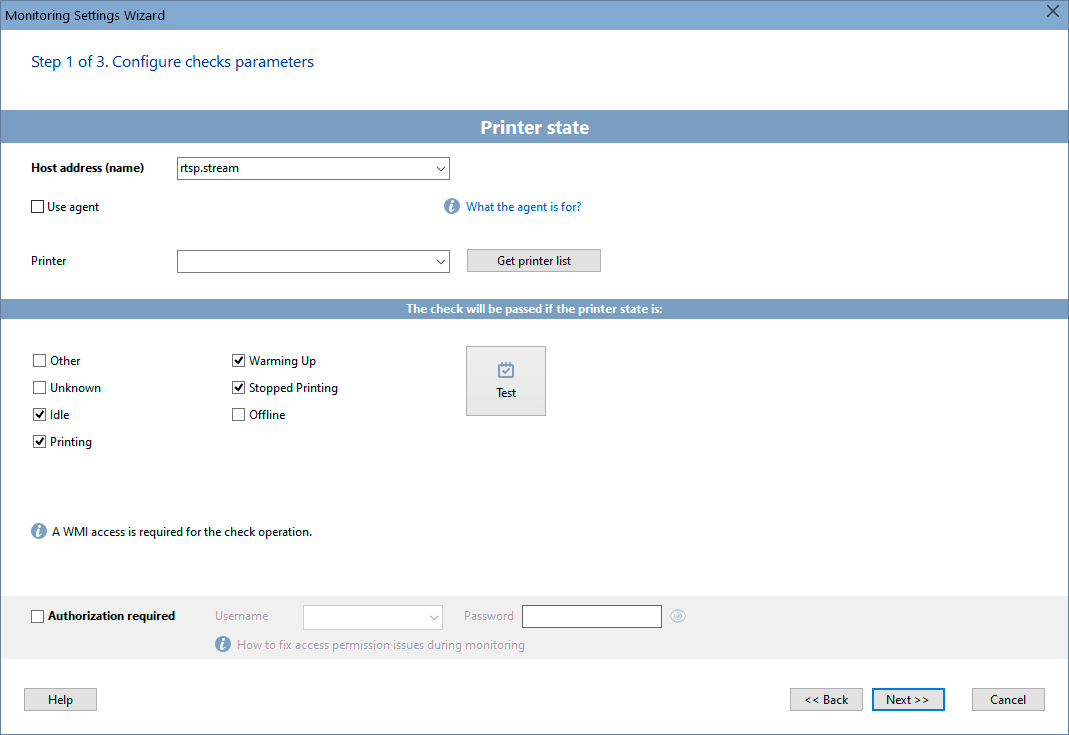
Configure the check parameters on the displayed window. You can modify the parameters later using the "Edit Check..." menu item. Learn more on how to configure the check alerts and other options here.
See also: In addition to the printer availability monitoring, the program can also monitor ink/toner in a printer.
Requirements: Windows XP/Vista/7/8.1/10/11, Server 2003/2008/2012/2016/2019/2022 supported.


 Networking Software Bundles